
Orders and documentation
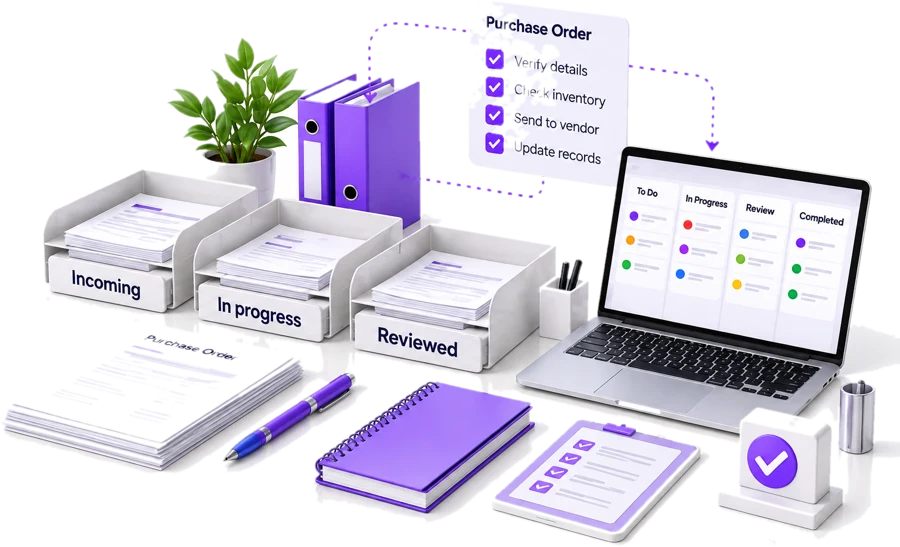
Organize records, check required information and maintain agreed follow-up tasks.
Give routine administration a clear owner, a documented process and a reliable handoff.
MTI Tech supports recurring operational tasks such as purchase order records, data updates, ecommerce administration, documentation, CRM maintenance and reporting. We help define the workflow before taking on the work so your internal team knows what is being handled and what still requires a decision.

Back-office support covers the administrative and process work that helps a business operate behind the scenes. A managed service should specify inputs, responsibilities, quality checks, turnaround expectations and escalation. It is more useful than an open-ended promise to handle any task without a defined process.
“Send us anything. We’ll handle it.”
Example format only. Your scope is defined during onboarding.
Organize records, check required information and maintain agreed follow-up tasks.
Update approved fields, standardize records and flag conflicting information instead of silently overwriting it.
Support product information, order status tasks and recurring operational updates.
Organize completed work, outstanding exceptions and the information needed for an operational review.
We review the current task, sample inputs, systems and expected output.
Together, we identify the process owner and the points where the support team must request clarification.
The operating instructions should cover routine cases and common exceptions, not just the easiest example.
The first phase should be narrow enough to review closely.
As the process becomes clearer, additional tasks can be considered without losing accountability.
Administrative support is not permission to approve spending, change supplier bank details or make commercial commitments. Agree which actions are permitted, which need review and how urgent issues are escalated.
Example matrix. Each engagement agrees its own list.
Useful reporting includes the incoming queue, completed tasks, overdue items, rework and unresolved questions. A managed service should make operational problems more visible rather than conceal them behind a single activity total.
Define what counts as completion. A record entered with missing information should not be counted in the same way as a checked and approved record.
Some tasks are suitable for a documented human process. Others may benefit from ordinary automation or an AI-assisted preparation step. Review those options separately. Automation should not be added until the workflow, quality requirements and decision responsibilities are understood.
Explore AI & workflow automation →Straight answers about scope, systems, errors and pricing.
Yes. A limited starting scope makes it easier to document the work, evaluate quality and resolve handoff issues.
A virtual assistant typically supports an agreed set of administrative tasks. A managed back-office engagement places greater emphasis on a recurring process, its queue, operating instructions and reporting.
System access and feasibility are assessed during onboarding. The agreement should define which tools are used and who owns the records.
The scope should explain review, correction, escalation and responsibility. No service should promise that mistakes are impossible.
The appropriate model depends on task variability, volumes, review effort and coverage needs. The proposal should state the pricing unit and exclusions clearly.
Tell us what enters the queue, who handles it today and which delays matter most. We can begin with the process that creates the clearest operational burden. Not sure what to hand over? Read which back-office tasks are ready to delegate. See how this worked for My Estate Manager in our back-office case study.