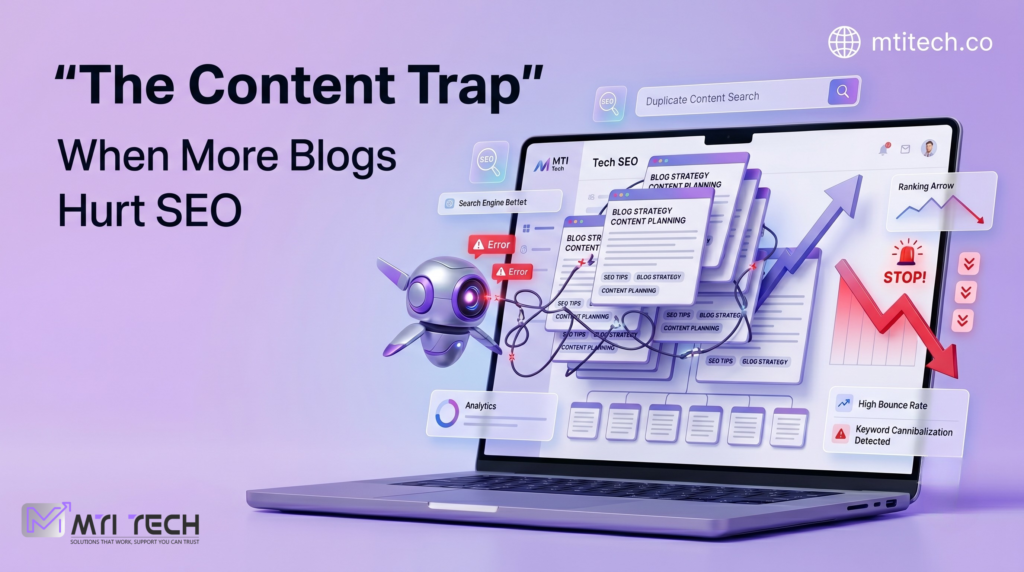
The Silent Penalty: Why Google Just Stopped Caring About Your Best Web Pages
The silent penalty of technical SEO
Every business owner has at least one page they are proud of
Maybe it is the service page that explains your best offer
Maybe it is the landing page your team spent weeks designing
Maybe it is the blog post that should be bringing in leads every month
The copy looks good
The design feels professional
The offer is clear
The page loads when you open it
Everything looks fine on the surface
But then the rankings disappear
Traffic drops slowly
Leads become quiet
Search Console starts showing fewer impressions
The page that once had potential suddenly feels invisible
Nothing dramatic happened
No manual penalty
No angry warning from Google
No obvious crash
That is why it is so frustrating
The page is still there, but Google has stopped treating it like it matters
This is the silent penalty of technical SEO
It is not always a penalty in the official sense
Google may not be punishing your website
It may simply be struggling to understand, crawl, index, or trust the page because hidden technical errors are sending the wrong signals
And that is where many businesses lose ranking without realizing it
Good content is not enough anymore
There was a time when many businesses believed that SEO meant writing keywords into a page and waiting for Google to reward them That version of SEO is gone Today, good content still matters, but content alone cannot save a page if the technical foundation is broken A strong page with bad technical signals is like a luxury store with locked doors The products may be excellent, but customers cannot enter properly Google needs to crawl your page, understand its purpose, identify the main topic, follow its internal links, read its structure, process its code, and decide whether the page deserves to appear for a search query If any part of that process breaks, your best content may never get the visibility it deserves This is where hidden errors become dangerous They do not always appear on the front end of your website A user may see a normal page, while Google sees confusion That confusion can come from broken tags, duplicate headings, missing metadata, poor internal linking, wrong canonical tags, nonindex instructions, messy JavaScript, weak page hierarchy, or conflicting signals inside the code To a business owner, the page looks alive To Google, the page may look unclear, duplicated, blocked, low priority, or not worth ranking
The problem with broken tags
HTML tags help search engines understand the structure of a web page They tell Google what the page is about, what content is most important, how the sections are organized, and what information should appear in search results When these tags are missing, duplicated, broken, or used carelessly, Google has to work harder The title tag is one of the most important examples It gives Google and users a strong clue about the page topic If your title tag is missing, too generic, duplicated across multiple pages, or stuffed with awkward keywords, the page starts with a weak signal A page about “CRM Automation Services for eCommerce Brands” should not have a title like “Home” or “Services” or “Best Solutions Online” That kind of title tells Google very little It also gives users no reason to click Meta descriptions do not directly guarantee rankings, but they influence how your page is understood and how users respond in search results A weak description can reduce clicks A missing one can force Google to generate its own snippet, which may not represent your offer properly Then there are robots' meta tags This is where the damage can become serious A single accidental nonindex tag can tell Google not to show the page in search results This often happens after a redesign, staging migration, plugin update, or developer handoff The business sees the page Google sees an instruction to ignore it That is not a content problem That is a technical SEO failure
Bad hierarchy makes your page harder to understand
Page hierarchy is not just about visual design It is about meaning When a page uses headings properly, it becomes easier for both users and search engines to understand the flow of information The H1 should usually represent the main topic H2s should divide major sections H3s should support the H2s But many websites use headings for style instead of structure A designer may use multiple H1s because they look bold A developer may skip from H1 to H4 because the size looks better A page builder may automatically create headings in the wrong order A blog template may place the logo, menu, or sidebar text inside heading tags by mistake The result is a messy content structure Imagine giving Google a book where the chapter titles, subtitles, and paragraph labels are all mixed up The content may still be good, but the organization is weak This matters especially for service pages If your Tech SEO page has no clear H1, confusing section headings, and random keyword blocks, Google may struggle to understand whether the page is about technical SEO, website development, digital marketing, audits, or general business consulting That confusion can dilute ranking power A page must have a clear topic, clear structure, and clear relationship between sections When the hierarchy is clean, the page feels intentional When hierarchy is broken, the page feels accidental
Canonical mistakes can bury your best page
Canonical tags are meant to help search engines understand which version of a page should be treated as the main version This is useful when similar pages exist For example, the same product or service may appear through different URLs, tracking parameters, category paths, or filtered pages But when canonical tags are used incorrectly, they can quietly damage rankings One common mistake is pointing a good page to the wrong canonical URL This may tell Google that another page should be treated as the preferred version In simple words, your best page may be giving its authority away Another mistake is using self-referencing canonicals inconsistently Some pages have them Some do not Some point to HTTP instead of HTTPS Some point to a URL with a trailing slash while the live page uses no slash Some point to a staging URL that should never have gone live These small mistakes can create big confusion Google may choose a different canonical than the one you prefer If that happens, the page you want to rank may not be the page Google selects For businesses, this can look like a ranking mystery You publish a strong landing page, optimize the copy, add internal links, and wait for results But behind the scenes, the canonical tag may be telling Google that another weaker page is the real version That is how your best page becomes invisible without looking broken
Internal linking is the ranking signal many businesses ignore
A web page does not rank in isolation It sits inside a website ecosystem Internal links help Google discover pages and understand which pages are important If a page has no meaningful internal links pointing to it, Google may treat it as less important This is a common problem with service pages, campaign pages, and older blogs A business creates a strong page, but it is buried three or four clicks deep It is not linked from the homepage It is not included in the main navigation It is not connected to related blogs It has no contextual links from other pages Technically, the page exists Strategically, the website is ignoring it Google notices that If your own website does not send authority toward a page, why should Google assume it is important Internal linking is not just about adding random links It is about building a clear pathway Your homepage should guide users toward core services Blog posts should support service pages Related services should connect naturally Anchor text should be descriptive, not vague A link that says “click here” does not explain much A link that says “technical SEO audit for eCommerce websites” gives more context Small differences like this help Google understand relationships between pages
JavaScript and design effects can hide important content
Modern websites often rely heavily on JavaScript, animations, sliders, tabs, filters, accordions, and dynamic content blocks These features can improve user experience when done properly But when implemented badly, they can create SEO problems Important content may load only after a user clicks a button Service descriptions may appear inside scripts that Google does not process easily Product data may depend on delayed rendering Internal links may not exist in crawlable HTML Main content may be hidden behind interactive elements To a visitor, the page may look beautiful To Google, the page may look thin or incomplete This is especially dangerous for businesses that invest in premium design but ignore technical SEO checks A homepage may look modern, but if Google cannot access the important sections clearly, the design is not helping search performance A good website should not make Google work too hard to find the content that matters Beauty without crawlability is a weak SEO asset
Duplicate pages confuse authority
Many websites accidentally create duplicate or near-duplicate pages This can happen through service variations, location pages, blog tags, category archives, tracking URLs, HTTP and HTTPS versions, www and non-www versions, printer-friendly pages, or CMS-generated URLs Duplicate content does not always mean a penalty The bigger issue is dilution If five URLs show similar content, Google must decide which one should rank Sometimes it chooses the wrong one Sometimes all versions perform weakly because authority is split For example, a business may have these pages: Tech SEO Services, Technical SEO Audit, SEO Technical Audit, Website SEO Fixes, SEO Error Fixing Services If each page says almost the same thing with small wording changes, Google may not know which one is the strongest Instead of building one powerful page, the website creates five average pages competing with each other This is not a content volume strategy It is a structure problem A stronger approach is to build one main authority page and support it with focused blogs, FAQs, case studies, and internal links Google does not need ten weak versions of the same idea It needs one page that clearly deserves attention
Broken schema can damage trust signals
Schema markup helps search engines understand specific details about your content, services, products, reviews, FAQs, articles, and business information When the schema is accurate, it can support better understanding and sometimes improve how your page appears in search results But a broken schema creates confusion Some websites use outdated schema Some copy schema from another website and forget to change the details Some mark up fake reviews Some add FAQ schemas that do not match visible content Some include business information that conflicts with the actual page This can weaken trust Schema should not be treated as decoration It should be accurate, relevant, and aligned with visible content For a Tech SEO service page, schema may help clarify business details, service type, FAQs, and article information But it must be implemented properly Bad schema is not advanced SEO It is messy communication
Why Google “stops caring”
Google does not emotionally care or stop caring, of course But from a ranking perspective, that is exactly how it feels A page can lose attention when the signals around it become weak or conflicting Maybe Google crawls it less often Maybe it indexes a different version Maybe it sees the page as duplicate Maybe internal links do not support it Maybe the structure is unclear Maybe the page has a nonindex tag Maybe the mobile version is missing important content Maybe the site architecture tells Google that other pages matter more The result is the same Your best page becomes quiet The painful part is that these issues often go unnoticed because they are not visible in normal browsing You need a technical SEO audit to find them
What a real technical SEO audit should check
A proper technical SEO audit should not be a generic report full of automated screenshots It should explain what is broken, why it matters, and how fixing it can improve business outcomes For a serious audit, the website should be checked for crawlability, indexability, title tags, meta descriptions, heading structure, canonical tags, robots.txt rules, sitemap health, internal linking, broken links, redirect chains, duplicate pages, mobile rendering, structured data, Core Web Vitals, JavaScript rendering, image optimization, URL structure, and content hierarchy But the audit should not stop at listing errors The real value is prioritization Some issues are annoying but not urgent Some issues directly block rankings A missing alt tag may matter, but an accidental nonindex tag on a money page matters much more A slow image is worth fixing, but a wrong canonical pointing your main service page to another URL can be more damaging Good technical SEO is not about fixing everything randomly It is about fixing the issues that hold revenue pages back
How MTI Tech approaches the silent penalty
At MTI Tech, technical SEO is treated as a business performance issue, not just a website checklist When a page stops ranking, the first question should not be “Do we need more blogs?” The first question should be “Can Google properly crawl, understand, index, and trust the pages we already have?” Many companies keep creating new content while their existing pages are technically weak That is like pouring water into a leaking bucket Before spending more on ads, redesigns, or content production, businesses should know whether their core pages are technically healthy A Tech SEO review can uncover the quiet problems that are blocking performance These may include broken heading hierarchy, duplicate metadata, crawl traps, incorrect canonicals, poor internal linking, blocked resources, weak schema, mobile content gaps, and indexation errors Once those issues are fixed, the website becomes easier for Google to understand and easier for users to navigate That is when content starts working harder
The hidden cost of ignoring technical SEO
The cost of technical SEO problems is not only lost traffic It is lost trust, lost leads, lost sales, and wasted marketing spend If your PPC landing pages are technically weak, conversion suffers If your service pages are not indexed properly, organic leads drop If your blogs are not internally linked to money pages, they attract visitors without moving them toward revenue If your best pages are buried under bad structure, competitors with weaker offers may outrank you simply because their websites are easier for Google to process That is the silent penalty It does not shout It slowly removes your visibility
Final thoughts
Your best web pages do not fail only because the writing is weak Many fail because the technical foundation underneath them is broken Google needs clarity It needs clean signals It needs crawlable links, logical hierarchy, correct tags, consistent canonical signals, accessible content, and a structure that proves which pages matter most A beautiful page with hidden technical errors is still a weak SEO asset If your rankings are slipping and your best pages are not getting the attention they deserve, the answer may not be more content The answer may be a deeper technical SEO audit Because sometimes Google has not stopped caring about your business It has simply stopped understanding your website